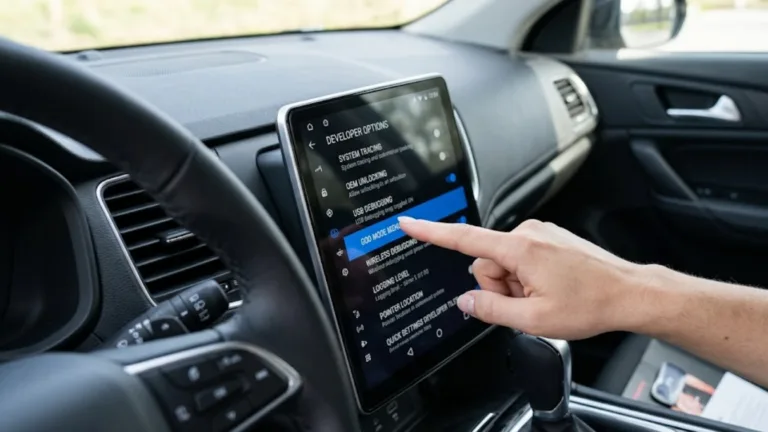
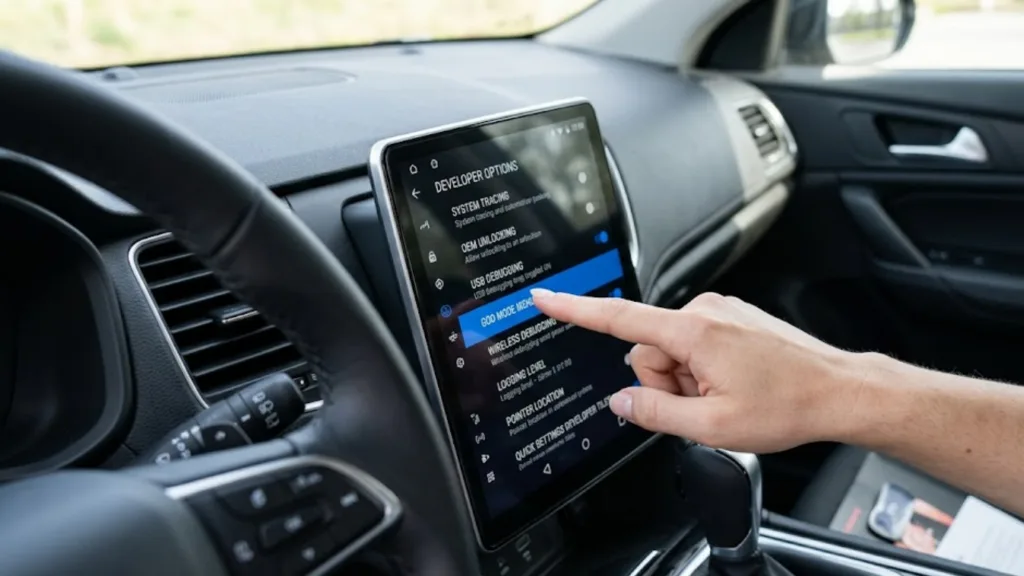
If you drive a car manufactured after 2018, you likely rely on Android Auto for your navigation and music. But as we move into April 2026, many UK drivers are reporting frustration with “cluttered” screens and restricted app access. What most motorists don’t realise is that Google hides a powerful ‘Developer Settings’ menu—frequently referred to by tech enthusiasts as ‘God Mode’—that allows you to bypass factory restrictions and customise your car’s display in ways the manufacturer never intended.
The Android Auto ‘God Mode’ Checklist 📱
- Wireless Force: Force your phone to connect wirelessly even if your car’s head unit originally demanded a USB cable.
- Video Playback: Unlock the ability to mirror specific video apps (strictly for use while parked) that are usually blocked by safety “lockouts.”
- Custom Wallpapers: Move beyond the boring stock backgrounds and upload high-resolution 2026-style editorial photography to your dashboard.
- Resolution Overrides: Fix “blurry” icons by forcing your phone to output at 1080p or 4K, regardless of the car’s default settings.
- Diagnostic Mode: Access real-time GPS and sensor data from your phone to see exactly how your car is communicating with Google Maps.
Warning: While “God Mode” unlocks incredible utility, it should never be used to circumvent safety features while the vehicle is in motion. In the UK, using a handheld device or distracting video content while driving can result in 6 penalty points and a £200 fine.
How to Unlock the ‘Hidden’ Developer Menu
Unlocking this menu isn’t found in your car’s settings; it starts on your smartphone. To enter “God Mode,” you must open the Android Auto app on your phone, scroll to the bottom, and tap the ‘Version’ information ten times in rapid succession.
A pop-up will appear asking if you want to allow developer settings. Once accepted, you can access a new “three-dot” menu in the top right corner. This is the gateway to a completely different driving experience. From here, you can toggle “Add wireless projection to settings,” which has saved thousands of UK drivers from having to buy expensive third-party wireless dongles.
Why Manufacturers Hide These Settings
Car manufacturers like Ford, Volkswagen, and BMW often “throttle” the capabilities of Android Auto to ensure the system remains stable and simple for the average user. They also restrict screen resolutions to prevent the car’s hardware from overheating.
However, by 2026, modern smartphones are more than powerful enough to handle high-definition rendering. By manually overriding the Video Resolution in the developer menu, you can make your Google Maps look significantly sharper, making it easier to read small street names during complex London or Birmingham city driving.
The ‘Day/Night’ Hack for Better Visibility
One of the most common complaints in 2026 is that Android Auto doesn’t always sync correctly with the car’s headlights, leaving the screen too bright at night or too dark during a cloudy UK afternoon.
Within the hidden developer menu, you can find the ‘Day/Night’ toggle. By setting this to “Phone Controlled,” you bypass the car’s light sensors and allow your phone’s superior ambient light detection to manage the screen brightness. This is a game-changer for long-distance night driving on the M1 or M6, where screen glare can be a major fatigue factor.
Unlocking “Unknown Sources” for Advanced Apps
The most powerful feature of God Mode is the ability to enable ‘Unknown Sources.’ This allows you to use third-party apps that haven’t been “pre-approved” by Google for the standard Play Store.
In 2026, this is being used by UK enthusiasts to run custom “OBD2” dashboards. These apps pull live data from your car’s engine—such as oil temperature, turbo boost, and exact battery health for EVs—and display it beautifully on your car’s main screen. It turns a standard family hatchback into a high-tech diagnostic hub.
Frequently Asked Questions (FAQ)
Will unlocking Developer Settings void my car’s warranty? No. You are modifying the software settings on your phone, not the car’s firmware. Since you aren’t “rooting” the car’s hardware, it has no impact on your manufacturer’s warranty.
Does this work for Apple CarPlay users? Unfortunately, no. Apple’s “CarPlay” is far more locked down. While there are “jailbreak” options, they are much more complex and carry higher risks than the simple Android “tap ten times” method.
My Android Auto keeps disconnecting. Can God Mode fix this? Often, yes. By going into Developer Settings and turning off ‘USB Debugging’ or forcing a specific ‘USB Mode’, you can often stabilise a “flickery” connection caused by a sensitive cable or port.
Conclusion: Take Control of Your Dashboard
Your car’s touchscreen shouldn’t be a closed box. As we demand more from our tech in 2026, the ‘God Mode’ hidden menu is the ultimate tool for the modern UK driver. It allows you to tailor your navigation, improve your visibility, and unlock the full potential of the hardware you already own.
Take five minutes before your next commute to unlock the hidden menu. Whether it’s fixing the resolution or finally getting that wireless connection to work, you’ll wonder how you ever drove without it.
Drive smart, drive custom!